
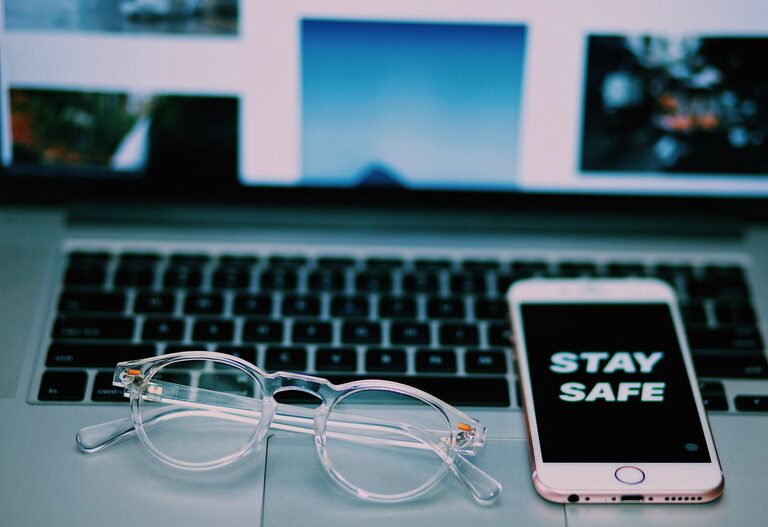
Keeping your phone and keyboard clean is essential not only for hygiene but also for the longevity and performance of your devices. Phones and keyboards can accumulate dust, oils, and germs from everyday use, making regular cleaning both a practical and healthy habit. However, cleaning these devices requires care to avoid causing any damage. In this guide, we’ll walk you through safe, effective methods to clean your phone and keyboard.
Why Cleaning Your Phone and Keyboard Matters
Our phones and keyboards are touched constantly, often several times a day. This makes them magnets for dirt, dust, oils from your skin, and microbes. Cleaning them regularly helps to:
– Prevent the buildup of grime and sticky residues
– Reduce exposure to germs and bacteria
– Maintain device appearance and functionality
– Prolong the lifespan of your tech
Gather Your Cleaning Supplies
Before you start, gather some simple tools and cleaning materials that are safe for electronics. Here’s what you’ll need:
– Microfiber cloths (soft, lint-free)
– Isopropyl alcohol (70% or less recommended)
– Distilled water
– Cotton swabs or soft brushes
– Compressed air can (optional)
– Dish soap (mild)
– Small bowl
Avoid harsh chemicals like bleach, window cleaners, or abrasive materials that can scratch or damage your devices.
—
# How to Clean Your Phone Safely
Phones have delicate screens and sensitive components, so extra care is important.
Step 1: Power Down and Unplug
Turn off your phone and unplug any cables or accessories before cleaning. This helps prevent electrical damage.
Step 2: Remove Phone Case
Take off your phone case and clean it separately using warm, soapy water and a microfiber cloth. Dry it completely before putting it back on.
Step 3: Wipe the Exterior
Dampen a microfiber cloth lightly with a mixture of 50% distilled water and 50% isopropyl alcohol. Make sure the cloth is damp, not wet. Gently wipe all surfaces of the phone, including the screen, back, and sides.
Avoid spraying liquid directly on the phone.
Step 4: Clean Buttons and Ports
Use a dry cotton swab or a soft brush to remove dust and debris from buttons, speaker grills, and charging ports. Be gentle to avoid pushing dirt further inside.
If necessary, use a can of compressed air to blow out dust from crevices.
Step 5: Dry and Reassemble
Let your phone air dry for a few minutes, then reattach the case and power it back on.
—
# How to Clean Your Keyboard Safely
Keyboards, especially those used daily, can hold a surprising amount of dirt and germs beneath the keys.
Step 1: Unplug or Turn Off
If you have a desktop keyboard, unplug it. For wireless or laptop keyboards, turn off the device.
Step 2: Shake Out Loose Debris
Hold the keyboard upside down and gently shake it to remove crumbs and loose dirt.
Step 3: Use Compressed Air
Use a can of compressed air to blow away dust and particles from between the keys. Hold the can upright and use short bursts.
Step 4: Clean the Keys
Mix a few drops of mild dish soap with warm water in a small bowl. Dip a microfiber cloth into the solution and wring out excess liquid.
Wipe each key individually, being careful not to let moisture seep beneath the keys.
For stubborn grime, a lightly dampened cotton swab can help clean around key edges.
Step 5: Disinfect the Surface
To kill germs, dampen another microfiber cloth with a 70% isopropyl alcohol solution and gently wipe the keyboard surface and keys.
Avoid using too much liquid to prevent damage.
Step 6: Dry Thoroughly
Allow your keyboard to air dry completely before plugging it back in or turning on your device.
—
# Additional Tips for Safe Cleaning
– Clean your phone and keyboard regularly — about once a week is a good routine.
– Avoid eating or drinking near your keyboard and phone to reduce spills and crumbs.
– Wash your hands before using your devices to minimize transferring oils and dirt.
– Never submerge your electronic devices in water.
– Use screen protectors and keyboard covers to help reduce dirt buildup.
—
Cleaning your phone and keyboard safely is simple with the right techniques and tools. Making this a habit not only keeps your devices looking great but also helps maintain a healthy environment in your workspace or home. With regular care, your tech will function well and last longer!